Skip to content
GrowX
Engage

Reply early to the right posts on X with Reply targets

Replies on fresh posts from bigger accounts are a common way to get discovered on X. GrowX collects new posts from your sources, VIPs and anyone you add, ranks them by freshness and momentum, and lets you reply and like in one place. Nothing is sent until you press the button.

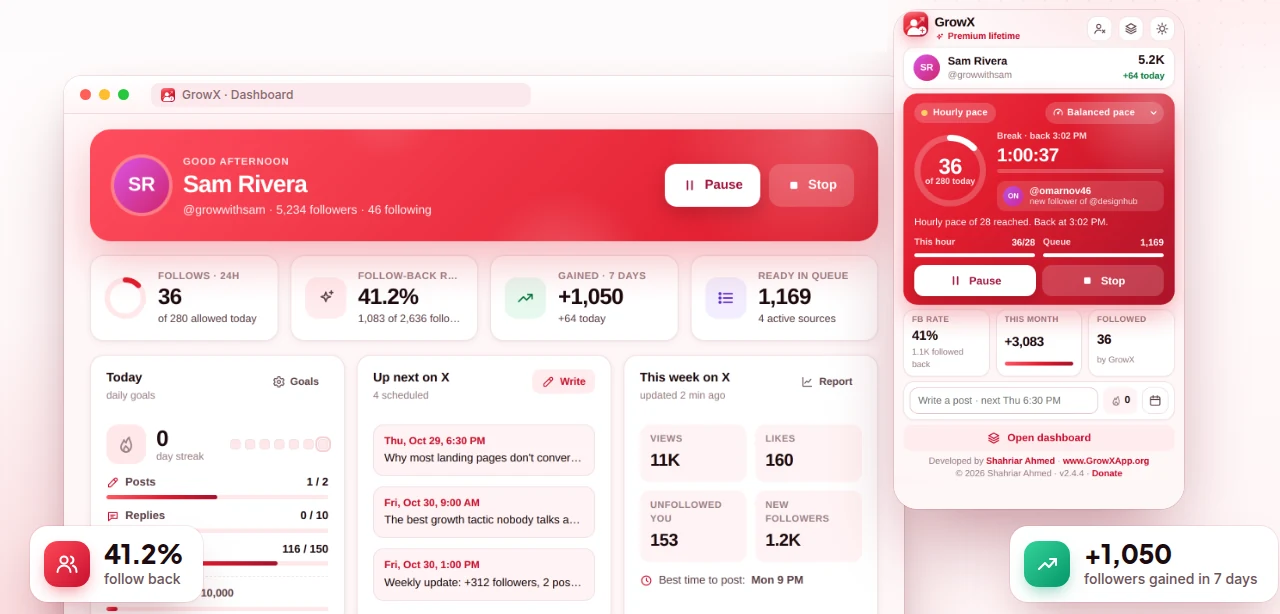
GrowX Home dashboard with daily goals, upcoming posts, this week on X and the popup with pace controls (demo data)

Screenshot shows demo data.

What you get

Reply targets, done right.

  • Fresh posts only

    Posts younger than 120 minutes by default, so your reply lands while the conversation is still active.

  • Ranked by momentum

    Targets are ranked by freshness and how fast they take off, so the posts worth replying to come first.

  • You press send

    Reply and like from GrowX without switching tabs. Nothing is sent by itself, and GrowX never sends DMs.

  • People and VIPs

    Tag people, add notes, mark VIPs and watch flags, and see mutuals and fans you don't follow back yet.

  • Premium

    VIP alerts

    Get a notification when a VIP posts, so you can be one of the first to reply.

  • Premium

    AI reply ideas

    Suggested replies from GrowX AI, running on your computer in your niche and voice. Edit them before you send.

How it works

Three steps.

  1. 1

    Choose who to watch

    Your auto follow sources are already included. Add VIPs and anyone else whose posts you want to reply to.

  2. 2

    Open Reply targets

    In Engage, GrowX shows fresh posts from those accounts, ranked by freshness and how fast they are taking off.

  3. 3

    Reply and like

    Write a thoughtful reply, or start from an AI idea with Premium, and press the button to send it from your account.

Why replying early works on X

A good reply under a popular post can be read by many more people than a post from a small account, and some of those readers click through to profiles that add something useful. Timing matters: replies posted while a post is still fresh have a better chance of being seen near the top, while a reply added hours later often sits below many others.

The hard part is noticing those posts in time. Refreshing a handful of big accounts by hand all day is distracting, and the home timeline does not show posts in order of opportunity. Reply targets does the watching for you, so you can spend a short, focused session replying instead of an hour scrolling and hoping to catch the right post.

How Reply targets finds and ranks posts

GrowX looks at recent posts from three groups: the sources you use for auto follow, the people you marked as VIPs, and anyone else you add. By default it keeps posts younger than 120 minutes and drops older ones. Each post is ranked by freshness and how fast it is taking off, so a post that is gaining traction rises above one that is quiet.

Using your auto follow sources is deliberate. Those accounts are the ones your ideal audience already follows, so a visible reply there puts you in front of the same kind of people GrowX is following for you. Someone who notices your reply and then sees a follow from you has two reasons to look at your profile.

Replies, likes and the People list

You can reply to and like target posts directly from GrowX, without switching between tabs. GrowX only sends a reply or a like when you press the button; nothing is posted by itself, and GrowX never sends DMs. Everything happens in your own signed-in x.com session, and GrowX never asks for your X password.

People is a lightweight contact list for X. Add tags and notes, mark VIPs and watch flags, and see your mutuals and the fans you don't follow back yet. Fans who regularly like and reply to you are good people to follow back and engage with, and the top fans list in Insights shows exactly who they are.

  • Tags and notes: remember who someone is and what you talked about
  • VIPs and watch flags: the accounts you never want to miss
  • Mutuals: people who follow you and whom you follow back
  • Fans you don't follow back yet: an easy list to return the favour

VIP alerts and AI reply ideas (Premium)

With Premium, VIP alerts send a notification when one of your VIPs posts, so you can reply while the post is still minutes old rather than finding it later in the day. Keep the list short and focused on the accounts that matter most in your niche; alerts for too many accounts quickly turn into noise you start to ignore.

AI reply ideas use GrowX AI, which runs on your computer with the model built into Chrome, to suggest replies that fit your niche and voice. Treat them as starting points: add your own experience or a specific detail, because generic replies are easy to spot. The Twitter reply strategy guide covers what makes a reply worth reading.

Plans

What's free, what's Premium

Every Premium feature is included in the free 30-day trial. No credit card.

Free $0 forever

  • Reply targets from your sources, VIPs and accounts you add
  • Ranking by freshness and how fast posts take off
  • Reply and like from GrowX when you press the button
  • People: tags, notes, VIPs, watch flags, mutuals and fans

Premium from $1.99

  • VIP alerts when a VIP posts
  • AI reply ideas from on-device GrowX AI
  • All included in the free 30-day Premium trial, no credit card
FAQ

Reply targets: your questions

Does GrowX reply to tweets automatically?

No. GrowX shows reply targets and lets you reply and like from one screen, but nothing is sent until you press the button. It never sends DMs.

How do I find tweets to reply to on Twitter?

Pick accounts your audience follows and watch for their newest posts. GrowX's Reply targets does this for you, keeping posts younger than 120 minutes by default and ranking them by how fast they take off.

How early should I reply to a big account's post on X?

As early as you can while still adding something useful. Early replies have more time to be seen, which is why Reply targets focuses on posts from roughly the last two hours by default.

What is the reply guy strategy on X?

It means growing by leaving thoughtful replies on larger accounts in your niche. It works best with replies that add a real insight or experience, not one-word agreement.

Can I get notified when a specific Twitter account posts?

Yes, with Premium. Mark the account as a VIP in GrowX and VIP alerts will notify you when they post.

More from GrowX

Related guides

Start growing on X today.

Install GrowX for free and create your account in under a minute. Try every Premium feature for 30 days: no credit card, no commitment.